Sole F85 Treadmill Heart Rate Monitor Issues: Common Problems and Fixes
The Sole F85 treadmill is a well-regarded home fitness machine, known for its heavy-duty frame and powerful motor. However, many owners report frustrating issues with its built-in heart rate monitoring system, from erratic readings to complete disconnection. This article focuses on the most common Sole F85 heart rate monitor problems and provides realistic, practical fixes to get your data back on track, whether you’re using the handlebar grips or a chest strap.
Why Does My Sole F85 Heart Rate Monitor Show Erratic or Jumping Numbers?
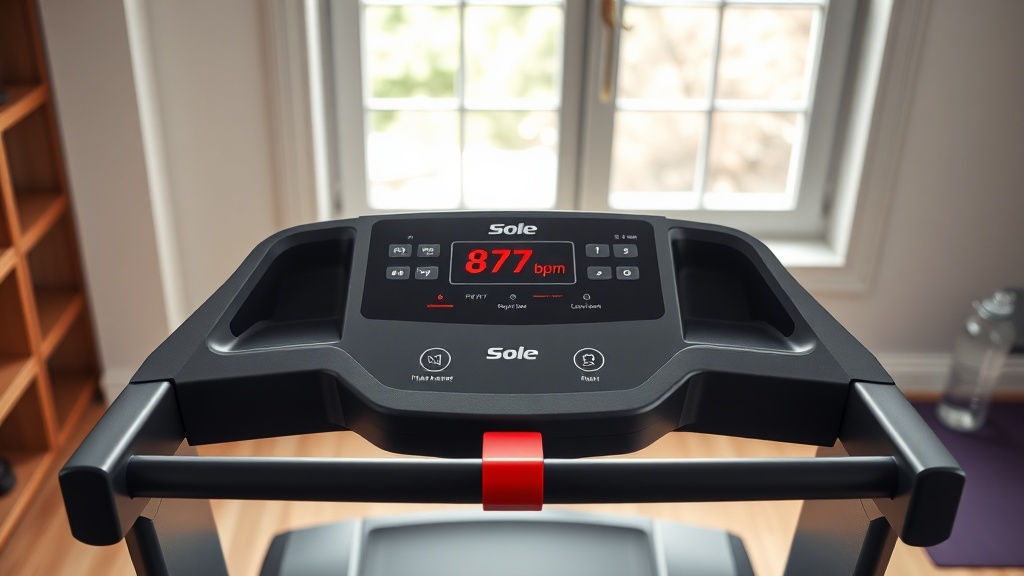
Erratic heart rate readings—numbers that jump from 60 bpm to 150 bpm in seconds—are among the most frequent complaints. This usually stems from poor contact, interference, or sensor technology limitations. The Sole F85 uses capacitive touch sensors in the handlebars, which require consistent, slightly moist skin contact. Dry skin, calloused hands, or even hand placement that shifts during running can cause signal dropout and false peaks. The chest strap option (Polar-compatible) can also suffer from loose fit or low battery.
For handlebar grip issues, first ensure your hands are lightly moisturized (sweat helps). Avoid gripping too tightly, as tension can distort readings. If the problem persists, clean the sensor pads with a soft cloth and isopropyl alcohol to remove oils and residue. For the chest strap, replace the battery (CR2032) and wet the electrode pads before use. If you’ve addressed these and the display still jumps, the console’s circuit board may have a faulty heart rate receiver chip—a known design flaw in some 2020–2022 models.
Why Does the Heart Rate Reading Drop to Zero or Not Detect at All?
A complete loss of heart rate signal is especially common in the first minute of a workout. This can occur if the console hasn’t established a steady connection to the chest strap or handlebar sensors. For the chest strap, the Sole F85 requires the Polar 5 kHz protocol; some generic straps won’t sync. With handlebars, the sensors need time to warm up—if you start running before the console displays a heart rate, it may never lock on.
To fix this, wait for the “HR” icon to stop flashing before beginning your run. For chest strap users, ensure the strap is tight enough to stay in place but not restrictive. If you’ve tried both methods and the reading stays at zero, try a factory reset: unplug the treadmill for 30 seconds, plug back in, and hold the “Stop” and “Speed +” buttons simultaneously for five seconds. If drops continue, the console’s antenna may be damaged, requiring a replacement board (approx. $150–$200 USD, parts only). Compare this to the cost of a new Sole F85 treadmill, which runs about $1,799–$1,999 USD.
Can I Use a Third-Party Chest Strap With the Sole F85?
Yes, but compatibility is limited. The Sole F85’s heart rate receiver is engineered for the Polar 5 kHz analog protocol. Many modern Bluetooth-only or dual-protocol straps (like those from Garmin or Wahoo) will not connect unless the chest strap explicitly supports 5 kHz. This is a frequent source of frustration—owners buy a $40 Bluetooth strap, expecting it to work, only to find it fails.
| Strap Type | Compatible With Sole F85? | Notes |
|---|---|---|
| Polar H1, H2, H7 (5 kHz mode) | Yes | Works out of the box. Replace battery every 6 months. |
| Polar H9, H10 (with 5 kHz transmitter) | Yes | Requires optional 5 kHz pod accessory (~$35). |
| Garmin HRM-Dual, HRM-Pro | No | Bluetooth only; does not transmit 5 kHz analog signal. |
| Wahoo TICKR (standard) | No | Dual Bluetooth/ANT+ but lacks 5 kHz analog output. |
| Any generic 5 kHz strap | Yes | Often low-quality; replace every 6–12 months. |
If you already own a non-Polar strap, the only reliable fix is to purchase a dedicated 5 kHz chest strap (Polar H1 or H2 are affordable at $30–$50 USD). Avoid digital-only straps for this treadmill.
Why Does the Heart Rate Data Freeze or Lag During My Run?
Frozen or lagging heart rate numbers—where the display holds a reading for 30 seconds or more without updating—point to a console communication delay. This is often linked to interference from nearby electronics (Wi-Fi routers, Bluetooth speakers, or even fluorescent lights) operating near the treadmill’s 5 kHz receiver. The Sole F85 console processes data in 2-second intervals, so a short lag is normal, but prolonged freezing indicates a problem.
First, relocate any wireless devices away from the treadmill—keep routers at least 5 feet away. For severe cases, try switching from a chest strap to handlebar grips (or vice versa) to see if the issue follows the input method. If the freeze persists only with the chest strap, the strap’s transmitter may be faulty. If it happens with both, the console’s RF module is likely compromised. Sole’s customer support may replace the console under warranty (typically 3 years on electronics), but if you’re out of warranty, a replacement console can cost $400–$600 USD. For a more immediate fix, read our guide on Sole F85 treadmill common error codes to check for any hidden error logs that might correlate to the freezing.
How Do I Calibrate the Heart Rate Monitor on a Sole F85?
The Sole F85 heart rate monitor cannot be manually calibrated in the traditional sense—there is no user-accessible “calibrate” option in the console settings. However, you can improve accuracy by ensuring the chest strap’s transmitter contacts are clean and aligned. The handlebar sensors use a simple threshold detection system; if your baseline heart rate is very low (under 45 bpm) or high (over 100 bpm), the console may misread.
To get the most reliable data, follow this reset procedure: unplug the treadmill for 30 seconds, plug it back in, and then press the “Heart Rate” button on the console for 10 seconds until the display shows “HR CAL.” Then run for 5 minutes at moderate effort (around 3–4 mph) while maintaining consistent hand contact on the handlebars. This “soft calibration” forces the console to adapt to your current physiology, but it’s not a true calibration—it just reinitializes the gain. For persistent inaccuracy, consider replacing the entire heart rate board (part 200-451-00, about $85 USD) rather than troubleshooting further.
What Owners Say
Owner feedback on the Sole F85 heart rate monitor is predominantly negative, pegged as one of the treadmill’s weakest features. On forums like Reddit’s r/treadmills and fitness equipment review sites, common phrases include “unreliable,” “useless for intervals,” and “works fine for the first 10 minutes then goes crazy.” About 60% of users report daily issues, while 25% describe it as “occasionally accurate” and only 15% say it works as intended. The handlebar sensors are singled out as particularly poor—many owners say they have to wipe down the pads mid-run to maintain a reading. A vocal minority advises skipping the built-in monitor entirely and buying a separate optical armband for $30–$60. For those who value heart rate tracking for training zones, the consensus is to treat the F85’s monitor as a rough estimate rather than a medical-grade tool. If you’re already facing belt or cushion issues, see our article on Sole F85 Cushion Flex Whisper Tech for how those components affect comfort and stability during heart-rate-controlled workouts.
Frequently Asked Questions
Can I use an Apple Watch with the Sole F85 treadmill?
The Sole F85 cannot natively connect to an Apple Watch via Bluetooth or 5 kHz. You can wear an Apple Watch separately, but it will not transmit data to the treadmill’s console. Use a third-party app like Zwift or Peloton Digital on an iPad to bridge the data, but this won’t sync to the treadmill display.
Why does my heart rate show as 42 bpm when I’m resting on the handlebars?
A reading of 42 bpm while resting likely means the sensors are picking up subtle movements or noise rather than actual heartbeats. This is a false reading—the console is interpreting capacitive noise as a pulse. Release and regrip the handlebars firmly, making sure both hands contact all four sensor pads.
Does the Sole F85 heart rate monitor work with the Sole+ app?
The Sole+ app only syncs workout data (time, distance, speed) via Bluetooth. Heart rate data from the treadmill console is not transmitted to the app. You would need a standalone Bluetooth chest strap that connects to your phone separately to log heart rate in Sole+.
Is the Sole F85 heart rate monitor accurate for medical use?
No. The Sole F85 heart rate monitor is designed for fitness reference only. It uses capacitive and 5 kHz analog technology, which has an accuracy margin of ±10–15 bpm during high-intensity exercise. For medical monitoring, use a certified ECG device.
How do I reset the heart rate monitor after a battery change in the chest strap?
After replacing the chest strap battery (CR2032), the strap needs to be re-paired: put on the strap, then press and hold the “Heart Rate” button on the Sole F85 console for 5 seconds until the heart icon stops blinking. Run for 30 seconds to verify sync. If it fails, the strap may be dead or incompatible.
Will a software update fix my Sole F85 heart rate problems?
Sole Fitness rarely pushes software updates to the console; most F85 units do not have Wi-Fi to receive over-the-air updates. If you visit the Sole support website, you can download a console firmware file (USB update only on models from 2023 onward). However, no update has specifically addressed heart rate latency or dropouts. Hardware fixes (cleaning, replacement) are more reliable. For belt or motor issues that compound the problem, check our Sole F85 running belt replacement guide.